
One click away
Menu bar workflow
TrustBar lives in your menu bar, so your startup metrics are always one click away. No extra dashboard tab, no extra context switching, no extra noise.
Verified MRR and startup metrics from TrustMRR, right in your macOS menu bar.

Open TrustBar from your menu bar and instantly check verified MRR, 30‑day revenue, total revenue, and growth.

Track multiple startups from one clean desktop app and move between them in seconds.Track multiple startups from one clean desktop app and move between them in seconds.
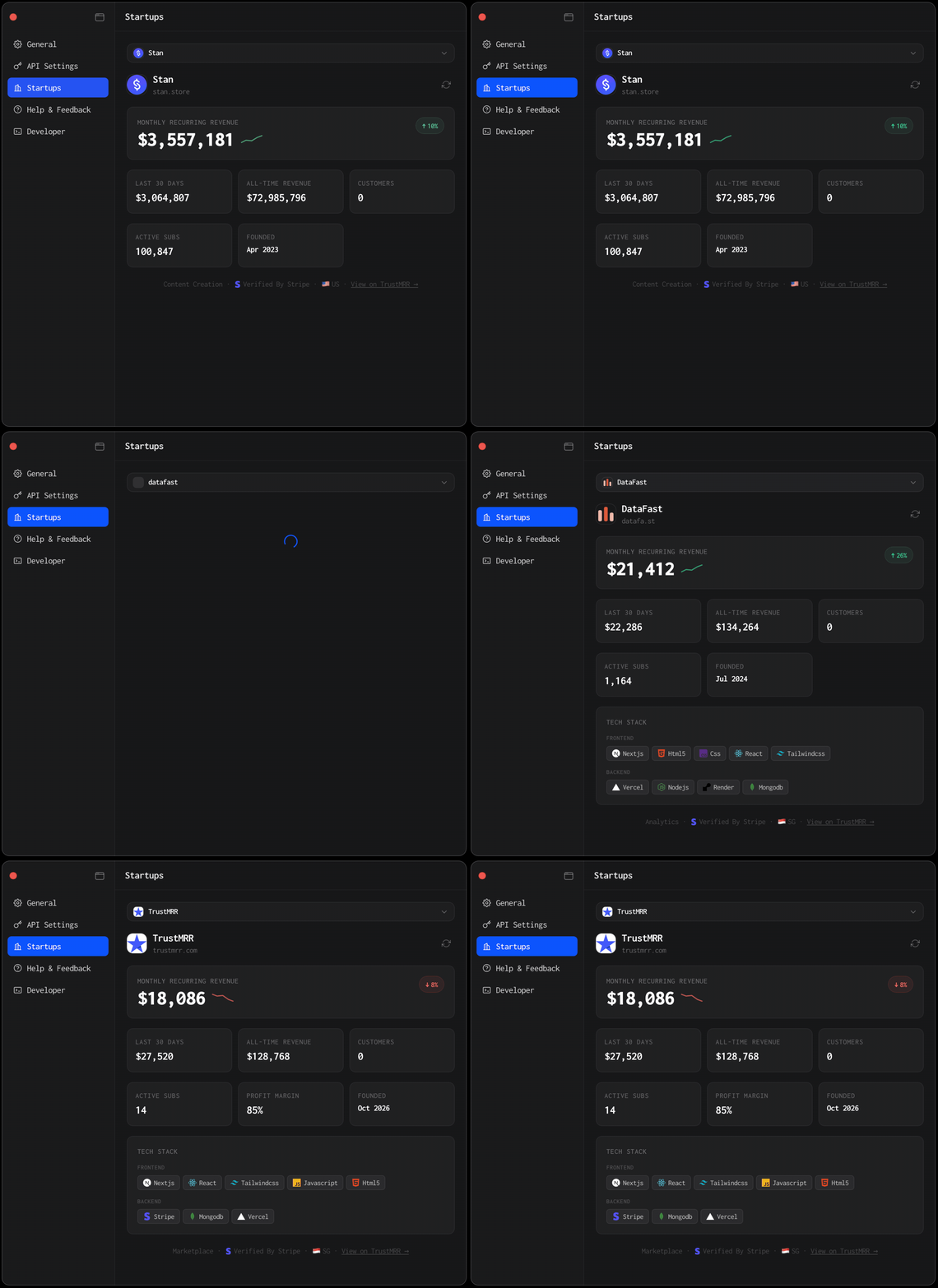
Set your next revenue milestone and keep it visible every day without dashboard friction.

Why TrustBar
Menu bar workflow
TrustBar lives in your menu bar, so your startup metrics are always one click away. No extra dashboard tab, no extra context switching, no extra noise.
macOS Keychain
Your TrustMRR API key is stored securely in the macOS Keychain. Sensitive credentials stay local and are handled like a proper desktop app should handle them.
License sync
Startup settings sync with your license, so reinstalling does not mean starting from scratch. You can get back to your workflow quickly instead of rebuilding setup.
Apple trust signals
The installer is signed with Apple Developer ID and notarized by Apple, which gives users a cleaner and more trustworthy install experience from your own site.
Pricing
One payment. Keep it forever. No subscription, no upsells, just one clean license for TrustBar.
TrustBar Lifetime
One payment. Keep it forever.
First 50 customers
No subscription. No upsells. Ongoing updates included.
Install in minutes
Download macOS installer.
Installer package
TrustBar_1.0.2_aarch64.dmg
Install TrustBar on your Mac.

TrustBar.app
Drag to install
Applications
Activate with your email.
Use the same email address you used at checkout.
founder@company.com
License key
TBAR-••••-••••-••••
Add your TrustMRR API key and startup slugs.
Your license can be active on up to 2 devices at the same time.
Startup setup
Connect TrustMRR data
API key
tmrr_live_••••••••••
FAQ
TrustBar currently supports Apple Silicon Macs only: M1, M2, M3, M4, and M5. Intel Mac support may be added later if there is demand.
Yes. TrustBar is signed with Apple Developer ID and notarized by Apple, so macOS can verify it as a trusted app.
Yes. TrustBar connects to your startup data using your TrustMRR API key.
Your TrustMRR API key is stored securely in the macOS Keychain. It is not stored in plain text in the browser layer.
Each license can be active on up to 2 devices at the same time. You can deactivate an old device and activate a new one whenever you need.
No. TrustBar is sold as a one-time lifetime purchase.
Yes. Startup settings are linked to your license and restored after activation. On the same Mac, your secure credentials can also be restored from Keychain if they were not manually removed.
No. App updates are delivered through the built-in updater.